By Free School App
Posted on
•
Views:
•
Shares:
Best Practices for Online Classroom Management
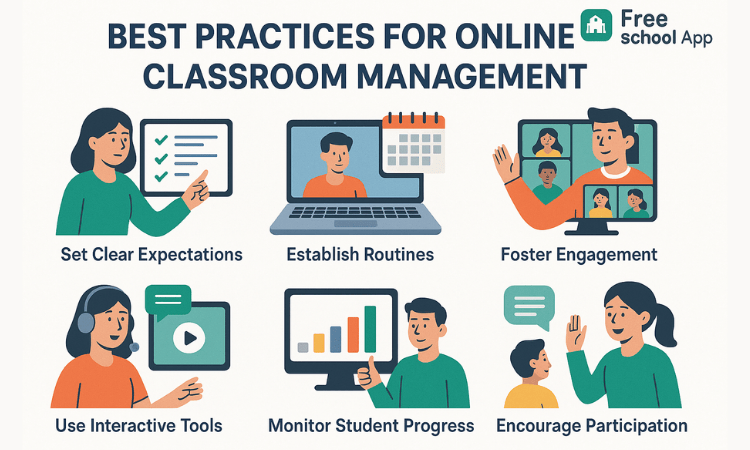
Managing a virtual classroom presents unique challenges—from keeping students engaged on screen to maintaining discipline remotely. Follow these proven strategies and leverage Free School App’s tools to create a structured, interactive, and supportive online learning environment.
1. Establish Clear Expectations & Rules
Begin each term with a synchronous “class charter” session. Co-create guidelines on:
- Video & audio etiquette (mute when not speaking, raise hand to talk).
- Assignment deadlines and submission formats.
- Respectful chat behavior (no spamming, use emojis appropriately).
Document these rules in a shared Google Doc or within Free School App’s Resources section so students can reference them anytime.
2. Use Engaging Interactive Tools
Static lectures lead to Zoom fatigue. Incorporate:
- Polls & Quizzes: Quick Kahoot-style checks keep energy up.
- Breakout Rooms: Small-group discussions foster peer collaboration.
- Annotation Tools: Let students mark up slides for active participation.
Free School App integrates with your LTI tools so you can launch polls and quizzes directly from the classroom dashboard.
3. Maintain Consistent Routines
Humans thrive on predictability. Structure your online days with:
- Daily Check-In: 5 minutes at start for attendance and mood check.
- Segmented Lessons: Alternate 15–20 minute teaching blocks with interactive activities.
- Weekly Agendas: Share a concise overview via Free School App notifications.
4. Monitor Engagement & Participation
Track who’s present, active in chat, and submitting work:
- Attendance Logs: QR-less auto-mark when students join the session.
- Chat History: Export logs to identify silent or off-task students.
- Homework Dashboard: See missing submissions at a glance.
5. Provide Timely Feedback & Support
Prompt, specific feedback keeps learners motivated:
- Use Free School App’s rubric templates to grade assignments quickly.
- Leave voice or video comments for personal touch.
- Schedule 1:1 virtual office hours—bookings managed in-app.
6. Foster a Positive Online Culture
Celebrate successes and build community:
- Shout-Out Board: Highlight student achievements via your class feed.
- Peer Recognition: Allow students to “like” or commend classmates’ work.
- Virtual Assemblies: Hold monthly all-class meetups to showcase projects.
7. Leverage Tools for Smooth Administration
Free School App streamlines behind-the-scenes tasks:
- Automated fee reminders so you never miss a payment.
- Integrated gradebook that syncs with your LMS.
- Real-time alerts to parents about attendance or performance dips.
8. Continuously Reflect & Adjust
Collect feedback and iterate:
- Quick Surveys: Poll students on pace and clarity.
- Analytics Review: Analyze engagement data weekly to spot patterns.
- Teacher Collaboration: Share tips and resources in your staff group chat.
Conclusion
Real-time alerts from Free School App turn one-way communication into an interactive dialogue—keeping parents engaged and schools efficient.
No Subscription
No Monthly or Yearly Fees
One-time payment for lifetime access – no hidden costs, ever.
Book a Demo & Get 50% OFF
Also read our related articles to know about Free School App


